


Dr.Fone: Photo & Data Recovery
3.8770.00 Reviews
App Specs
- Version
- 5.3.10.1050
- Updated On
- License
- Free
- Downloads
- 10,000,000+
- Developer
- Shenzhen Wondershare Software Co., Ltd.
- Categories
- Tools
- Platform
- Android
Screenshots
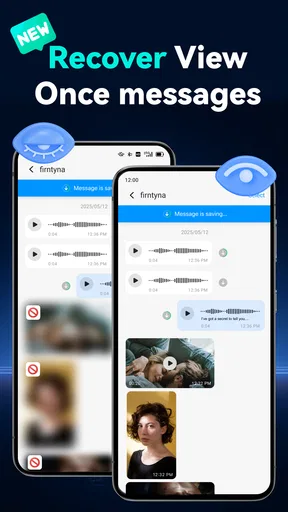
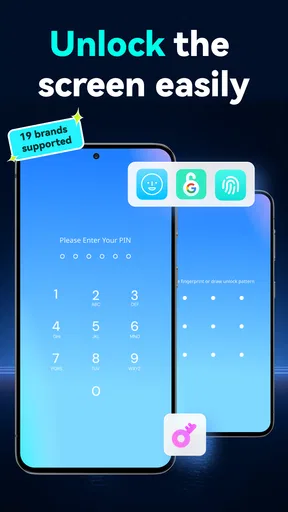
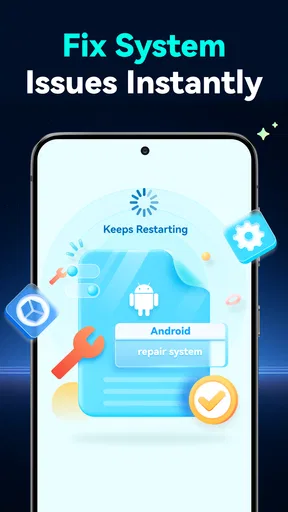
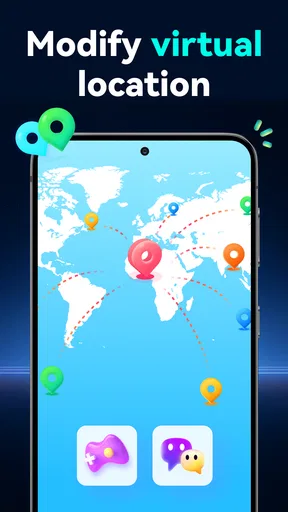
 Analysis by AppCompare
When I think about a recovery app, I care less about a long menu of tools than about what happens at the moment I grant access to personal files. Photos, messages and contacts can reveal a lot, so I’d rather approach recovery carefully than tap through every prompt in a hurry. Dr.Fone: Photo & Data Recovery is a phone utility from Shenzhen Wondershare Software Co., Ltd., and I see its appeal in its combination of recovery and transfer tasks. My cautious view is that it can be useful when you have a specific job in mind, but it is not a substitute for a backup routine or a guarantee that deleted data will return.
Who may find it useful
I’d consider this app if I had just deleted a small set of photos or needed to move selected content between phones and wanted recovery and transfer tools in one place. It is less compelling if I only need to copy a few pictures once: the built-in options on a phone, a computer, or a cloud service may be simpler for that narrow task. The app is free to install, rated for Everyone, and has in-app purchases, so I would check the cost shown for any specific tool before deciding to use it.
A practical point is to pause before taking more pictures or downloading files after an accidental deletion. New activity can overwrite storage that might otherwise contain recoverable material. I would also avoid repeatedly running scans just to see what appears; first decide what type of item I need, then review possible matches instead of restoring everything in a rush. That makes the process more focused and reduces the chance of cluttering the phone with unwanted copies.
What to expect from recovery
Recovery is inherently uncertain, and I would not treat a scan result as proof that every item can be restored in usable form. A preview is valuable because it lets me check whether a photo or file is actually the one I want before I act. If the missing item is irreplaceable, I’d preserve the phone’s current state as much as possible and consider whether a backup, synced album or computer copy is a better source than a recovery scan.
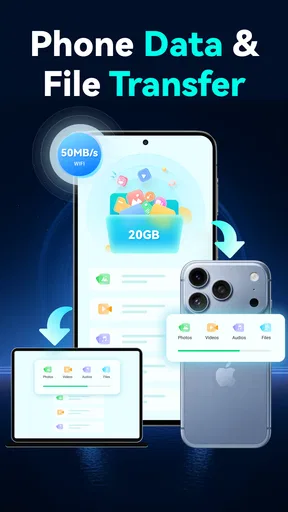
Transfer and recovery solve different problems, even when they sit beside one another in the same utility. For a planned move to a new phone, I would start with the device maker’s own migration or backup tools and use a third-party option only if those do not fit the situation. For a deleted file, I would first check the trash or recently deleted area in the app where it was stored. Those routes are often more direct than scanning, while Dr.Fone may be worth considering when the usual path does not solve the problem.
Checking choices at sensitive moments
When an app asks for access to photos, contacts or other content, I take a moment to match the request to the task I selected. A photo-recovery attempt should make sense alongside photo access; a request that feels unrelated is a reason to stop and review the screen rather than press through automatically. Permissions and available controls can differ by device and operating system, so I would read the prompts on my own phone instead of assuming every installation behaves identically.
I also like to keep the decision to restore separate from the decision to scan. First I’d inspect the results, then choose only the items I recognize and need. If I’m handling someone else’s phone, I’d get their permission before opening personal categories or restoring anything. These small habits matter more to me than a broad promise of safety because they keep the user involved at the point where private data is exposed.
Worth Reading Before You Choose

EA SPORTS FC Mobile 26 Is a Bigger Football Game, but It Takes Time

Flipboard Shows What News Apps Must Do Beyond the Feed

Switching to Android Auto Means Rethinking Your Driving Routine

Google Calendar Makes a Crowded Week Easier to Manage

Ludo King Makes the Most of the Minutes Between Plans

Baby Panda World Brings Quick Play to Modern Phones, but Its Game Library Feels Busy
How it sits among phone tools
Compared with a phone’s built-in recycle bin, synced photo library or backup, a dedicated recovery app is a more targeted fallback, not automatically the better first choice. Built-in tools are usually easier when an item is still in a temporary deletion folder or already backed up. Compared with transferring files manually through a computer, an all-in-one phone utility may feel more convenient for someone who wants a guided interface, though that convenience can come with extra screens and paid options to evaluate.
Dr.Fone has a 3.8 average from around 22,000 ratings, and it has been installed over 10 million times. Those figures suggest that many people have tried it, but they do not tell me whether it will find a particular deleted file on a particular device. I’d treat user feedback as background, not as a promise about my own recovery result.
Getting Acquainted with Dr.Fone
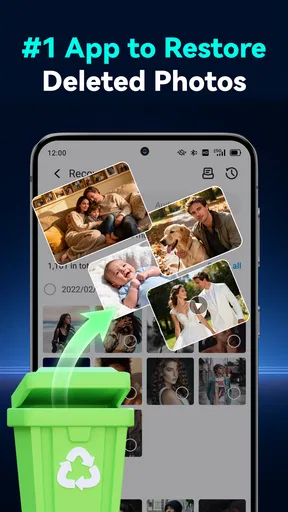
So, here's the scoop. Dr.Fone is this nifty app that promises to recover lost data, including those cherished photos you thought were gone forever. I took it for a spin on both Android and iOS, and let me tell you, it's like having a little digital detective in your pocket.
Installation and Setup
First things first, getting Dr.Fone onto your device is a breeze. Just hit up your respective app store, search for it, and download. Boom, you're halfway there. Setting it up is equally straightforward. The app guides you through the process with clear instructions, which is great because, let's face it, who reads manuals these days?
The current version is 5.2.20.987, and it supports Android 6.0 or later. I’d check the version shown on my device before relying on a particular screen or option, since app interfaces can change. Also, because I would not assume that installing it instantly fixes a lost-file problem, I’d first identify what disappeared, where it was stored, and whether another copy exists. That quick check can prevent a scan from becoming a substitute for a simpler restore.
Exploring the Features
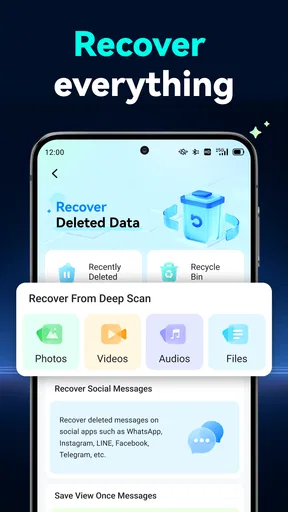
Once the app is up and running, you'll find a clean and intuitive interface that doesn't require a tech degree to navigate. The main screen presents you with options like "Recover," "Transfer," and other handy tools. I was particularly intrigued by the recovery feature, so naturally, I dove right in.
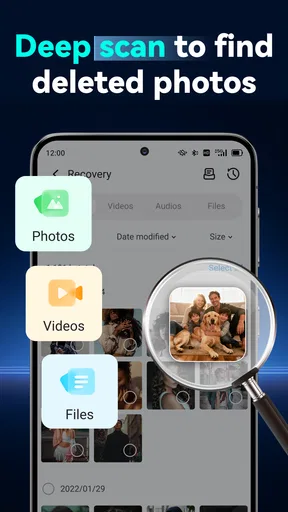
The recovery process is surprisingly simple. You just select the type of data you want to recover—be it photos, videos, contacts, or messages—and let the app do its magic. It scans your device, and before you know it, voilà! A list of recoverable items appears. It's like finding hidden treasure.
One useful way to approach those choices is to narrow the job before opening a category. If I’m looking for a particular vacation photo, I’d avoid treating the whole phone as a general cleanup project and focus on the relevant media first. A smaller, deliberate selection makes it easier to recognize the right result and decide whether restoring it is worthwhile. If the app presents a purchase prompt for a tool I want, I’d read the terms on that screen before continuing rather than assuming every function is included in the free install.
Performance and Efficiency
Alright, let's talk performance. In my experience, Dr.Fone was pretty quick on the draw. The scan took just a few minutes, and the recovery process was even faster. What I appreciated most was the ability to preview items before recovering them, saving me from bringing back a bunch of unnecessary files.
As for efficiency, it didn’t hog my phone’s resources or slow down other apps, which is a win in my book. Plus, it supports both internal storage and SD cards, making it versatile for different users. Handy, right?
Even when a scan feels quick, I would plan around the possibility that a large library or a busy phone takes longer. I’d keep the device available, avoid starting a transfer at the same time, and make sure I have enough room for any recovered copies. That last check is easy to overlook: finding a file does not help much if there is no convenient place to save it. I would also compare the preview with any backed-up version before restoring, especially if I’m unsure whether the recovered copy is complete.
Security Concerns
Now, I'm pretty particular about privacy, and I'm sure you are too. So, here's the lowdown: Dr.Fone assures users that their data is safe and not stored on the app’s servers. Everything stays on your device, which is a relief. They use encryption to protect your data, so you can rest easy knowing your information isn't wandering off somewhere in cyberspace.
For my own part, I would still make the decision based on the permission prompts and choices I can actually see on my phone. I would grant only the access needed for the task I chose, and revisit those permissions afterward if I no longer plan to use the feature. A recovery utility may need access to sensitive material to do its job, so I would not use it casually on a shared device or leave a session open for someone else. The practical boundary is simple: recover only what you have a reason and the right to access.
Real-Life Scenarios
So, how does Dr.Fone fare in real-life scenarios? I decided to test it with a few accidental deletions. First up, some photos from my last vacation. The app managed to recover all of them, even those I had deleted weeks ago. Next, I tried retrieving some lost contacts, and again, success! It’s like having a personal digital archaeologist.
Imagine noticing after dinner that a family photo you meant to keep has vanished from the gallery. I’d first check the gallery’s recently deleted area and any photo library I use, then stop taking extra pictures until I know whether recovery is needed. If those copies are unavailable, I’d open the relevant recovery option, inspect the preview carefully and restore only the matching image. This sequence keeps the app as a considered fallback rather than the first thing I try, and it gives me a better chance of avoiding accidental restores or unnecessary scans.
It’s worth noting, though, that the sooner you attempt recovery after deletion, the better your chances. The app isn't a miracle worker if the data has been overwritten by new files.
Final Thoughts
All in all, Dr.Fone: Photo & Data Recovery is a solid choice for anyone prone to those "oops" moments. It's user-friendly, efficient, and most importantly, effective. Whether it's photos, contacts, or other data, this app has got your back. So, if you've ever faced the dread of losing important files, give Dr.Fone a shot. It just might be your new best friend.
I’d recommend it most to someone who is comfortable reviewing permissions, wants a guided recovery workflow and understands that success depends on what remains on the device. I’d skip it if I’m only looking for routine backups, if a built-in restore already solves the problem, or if I’m unwilling to inspect paid options before using particular tools. It is a free Tools app, but in-app purchases range from $1.99 to $59.99 per item, so checking the specific offer matters.
For me, the sensible way to use Dr.Fone is as a deliberate last-mile helper: identify the missing item, check ordinary backup routes, limit access to the task, and preview before restoring. That approach respects the personal nature of phone data without expecting any recovery tool to work miracles. If those trade-offs suit you, it can be a practical option to keep in mind; if certainty and ongoing protection are the priority, I’d put a reliable backup habit first.
Pros
- Easy-to-use interface for quick recovery.
- Supports a wide range of file types.
- Compatible with both Android and iOS.
- Offers a preview before recovery.
- Secure data recovery process.
Cons
- Some features require a subscription.
- Recovery success not guaranteed.
- Large files may take time to recover.
- Not all devices are supported.
- Limited free version capabilities.
FAQs for Dr.Fone: Photo & Data Recovery
What is Dr.Fone: Photo & Data Recovery used for?
Dr.Fone: Photo & Data Recovery is a powerful tool designed to help users recover lost or deleted data from their Android or iOS devices. Whether you've accidentally deleted photos, messages, contacts, or other important files, this app provides a user-friendly interface to help you retrieve them quickly and efficiently.
Is Dr.Fone: Photo & Data Recovery safe to use?
Yes, Dr.Fone is considered safe to use. It is developed by Wondershare, a reputable company known for creating reliable software solutions. The app does not store your personal data and follows strict privacy policies, ensuring that your information remains secure during the recovery process.
What types of data can Dr.Fone recover?
Dr.Fone can recover a variety of data types, including photos, videos, contacts, messages, call logs, and more. It supports recovery from both internal storage and SD cards on Android devices, as well as similar data types on iOS devices, making it a versatile solution for data recovery needs.
Does Dr.Fone require root access or jailbreaking?
No, Dr.Fone does not require root access on Android devices or jailbreaking on iOS devices for data recovery. This means you can use the app without compromising your device's warranty or security. However, having root access may enhance recovery capabilities on some Android devices.
Is Dr.Fone: Photo & Data Recovery available for free?
Dr.Fone offers a free trial version with limited features, allowing users to test its capabilities. For full access to all recovery features, users need to purchase a subscription. This provides access to advanced recovery options and ensures ongoing support and updates from the developers.


